
The Fluminer T3 is one of the more serious home Bitcoin miners I’ve had running in my house, and it takes things to a whole new level compared to a Bitaxe or NerdAxe. In this review, I’ll walk you through exactly how loud it is, how much power it draws in each mode, whether you can actually make money with it, and what’s hiding under the hood when you open it up.
In this guide, you’ll learn:
- What the Fluminer T3 is and how it fits into the home mining world
- The three mining modes and real benchmark results for each
- How loud it actually is (with decibel readings)
- Where it ranks in ASIC generation and efficiency
- Realistic profitability and solo mining odds
- What’s inside the machine and who this device is (and isn’t) for
Table of Contents
- What Is the Fluminer T3?
- Hardware Overview
- The AxeOS-Style Dashboard and Mining Modes
- Benchmark Test Results
- ASIC Generation and Efficiency Ranking
- Real Profitability and Solo Mining Odds
- Opening It Up: Inside the Fluminer T3
- Who Is the Fluminer T3 For?
- Watch the Full Video Guide
- Frequently Asked Questions
- More Bitcoin Mining Guides
What Is the Fluminer T3?
The Fluminer T3 is a home Bitcoin mining rig from Fluminer, the same company that made a name for itself with the Fluminer L1, a Scrypt-algorithm device dedicated to mining Litecoin and Dogecoin. I’ve been running the L1 here in my home for many, many months, and it’s been profitable even with domestic electricity rates.
Later on, Fluminer decided to enter the highly competitive world of Bitcoin mining with the T3. After some mixed reviews early on and a few software updates, I think we now have a device that’s genuinely worth your time and money. It’s built to sit in your own space, inside your home, which is exactly the kind of miner I love covering.
A Quick Note on the Market
One of the most important things to keep in mind when buying any mining hardware is the current market situation. As I make this review, Bitcoin is hovering around $60,000, far from its all-time high of $126,000. I’ve been in this field a long time, and these things always work in cycles. Bitcoin always goes up in the long run.
For me, this means it’s a great time to get involved. For some people that means buying Bitcoin at a discount (which I’m doing), and for others it means picking up mining hardware at a good price (which I’m also doing). It may feel scary because of the low prices, but this could be the best time to grab a device like this before the market recovers and everything gets more expensive.
Hardware Overview
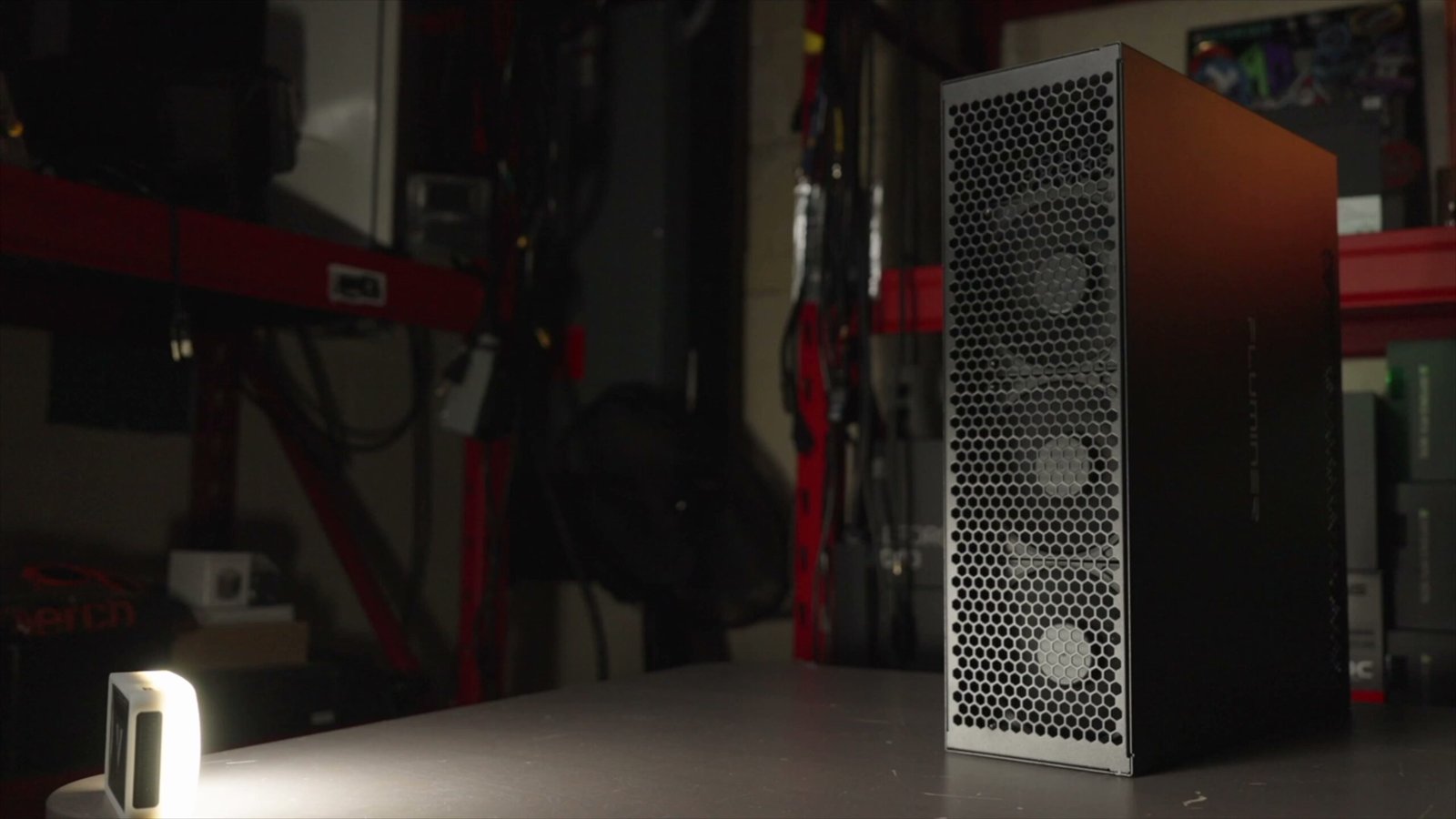
Let’s take a look at the physical device before we get into the numbers. The T3 has three fans right up front, which is the intake side. As you turn it around, you’ll see fans on the back where all the air comes out. Up top there are power supply fans, followed by the Ethernet port, Wi-Fi, and power connection.
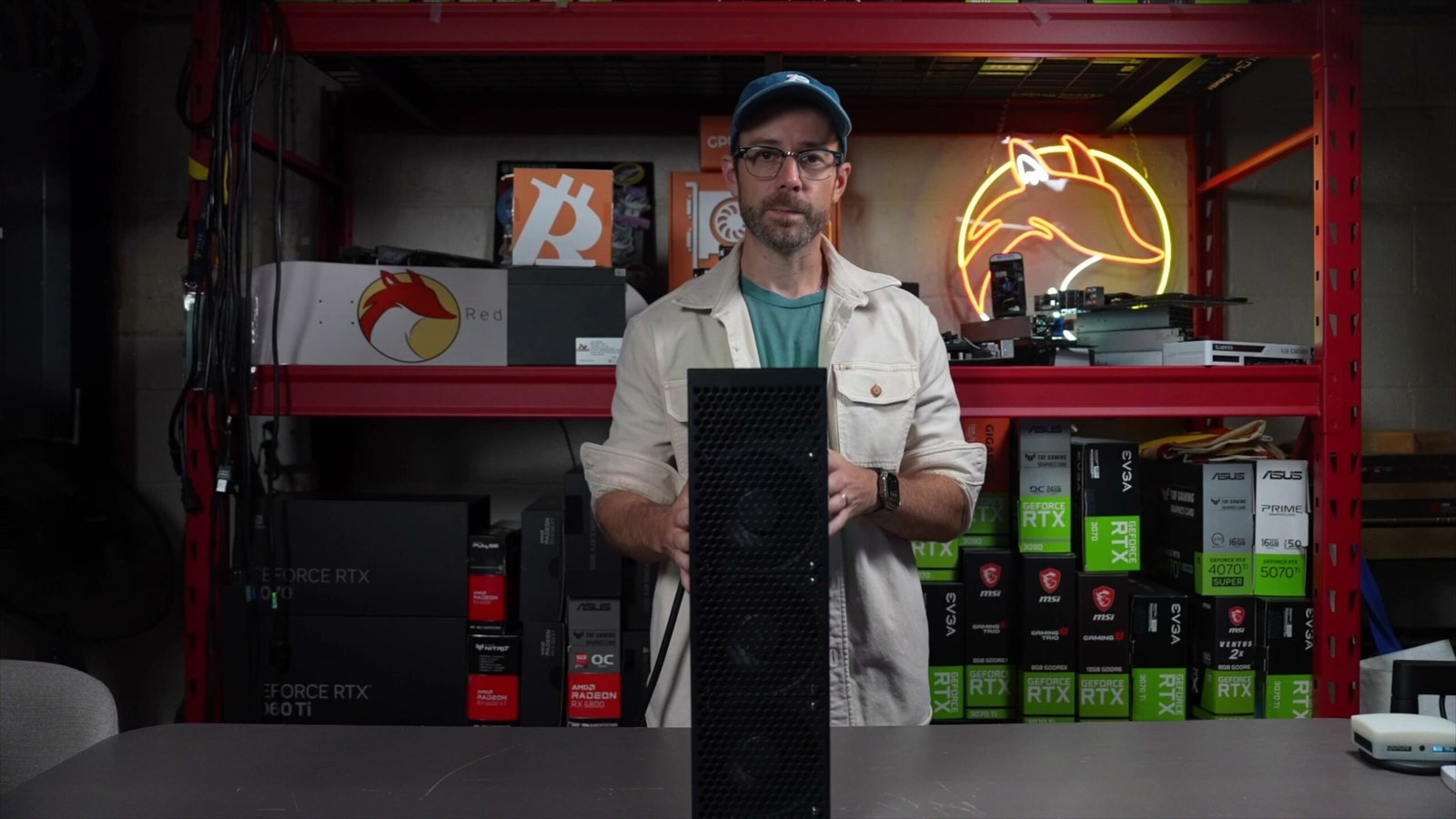
It’s a very simple, familiar layout. If you’ve used a Jasminer, other Fluminer products, or an Avalon Q, you’ll feel right at home. When I first turned it on, the fans spun up loud, a lot like a gaming PC running with the graphics card and case fans at 100%, then settled down once it started mining.
The AxeOS-Style Dashboard and Mining Modes
Once the device was on my local network, I grabbed its IP address, dropped it into my browser, and it took me straight to the main control panel. It looks exactly like the other Fluminer products.
On the dashboard you can see:
- Energy consumption and any rejected submissions
- Current hash rate and average hash rate
- ASIC chip temperatures and power supply readings
- Fan speed
- Your configured mining pool (I set mine up through ViaBTC)
The settings menu has everything you’d expect: pool configuration, Wi-Fi setup, firmware and file updates, password saving, logs, restart, and a full reset. These are all standard features for any home Bitcoin mining rig.
The Three Operating Modes
What I found most interesting was the operating mode selector. There are three:
- Normal mode: the default running state
- Efficient mode: surprisingly, the most efficient
- Power-saving mode: the quietest and lowest power draw
When I first fired it up in normal mode, I saw about 1,642 watts for roughly 102.3 terahashes per second. That’s already a big hash rate. Don’t misunderstand me: if you’re used to running small devices like Bitaxes or NerdAxes at home, this device takes it to a whole new level.
Benchmark Test Results
I tested every mode to see the raw hash rate, the power consumption, and the noise level in decibels. Here’s the interesting part: you’d expect normal mode to give the highest hash rate, but in reality efficiency mode achieves a higher hash rate with less power. That’s usually the opposite of what you see in home mining gear, and it tells me Fluminer did something clever with the ASIC chip tuning.
| Mode | Hash Rate | Power Draw | Noise |
|---|---|---|---|
| Normal | 106 TH/s | 1,642 W | 61 dB |
| Efficient | 108 TH/s | 1,530 W | 71 dB |
| Power-Saving | 83 TH/s | 1,211 W | 60 dB |
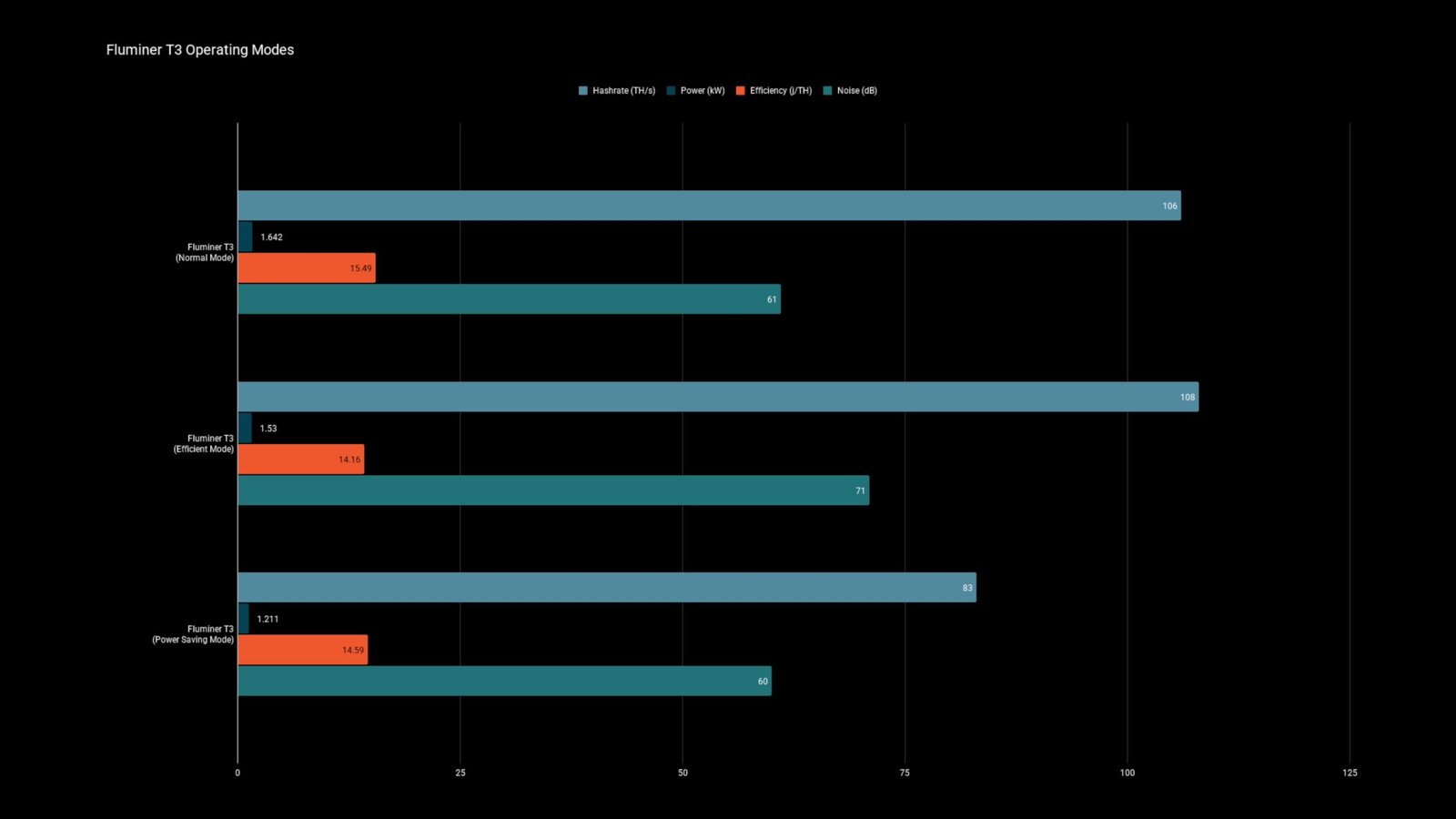
The trade-off with efficient mode is noise: it hits up to 71 decibels, which is the loudest of the three. If you don’t want to deal with that, power-saving mode is your friend. It drastically cuts power consumption and where you’ll really notice it is on your electricity bill. The downside is you lose a lot of hash rate, dropping to only around 83 terahashes per second.
Efficient mode being the best efficiency setting is genuinely unusual for this type of home mining equipment. Normally your terahash output and wattage both scale down together. Whatever modifications they made to the ASIC chips inside this Fluminer device mean something completely different, and that’s a good thing.
ASIC Generation and Efficiency Ranking
Now that I had some results, I wanted to see where this device actually stands. Over on asicminervalue.com, I love their generation ratings. The site places the Fluminer T3 in the seventh generation of ASIC chips.
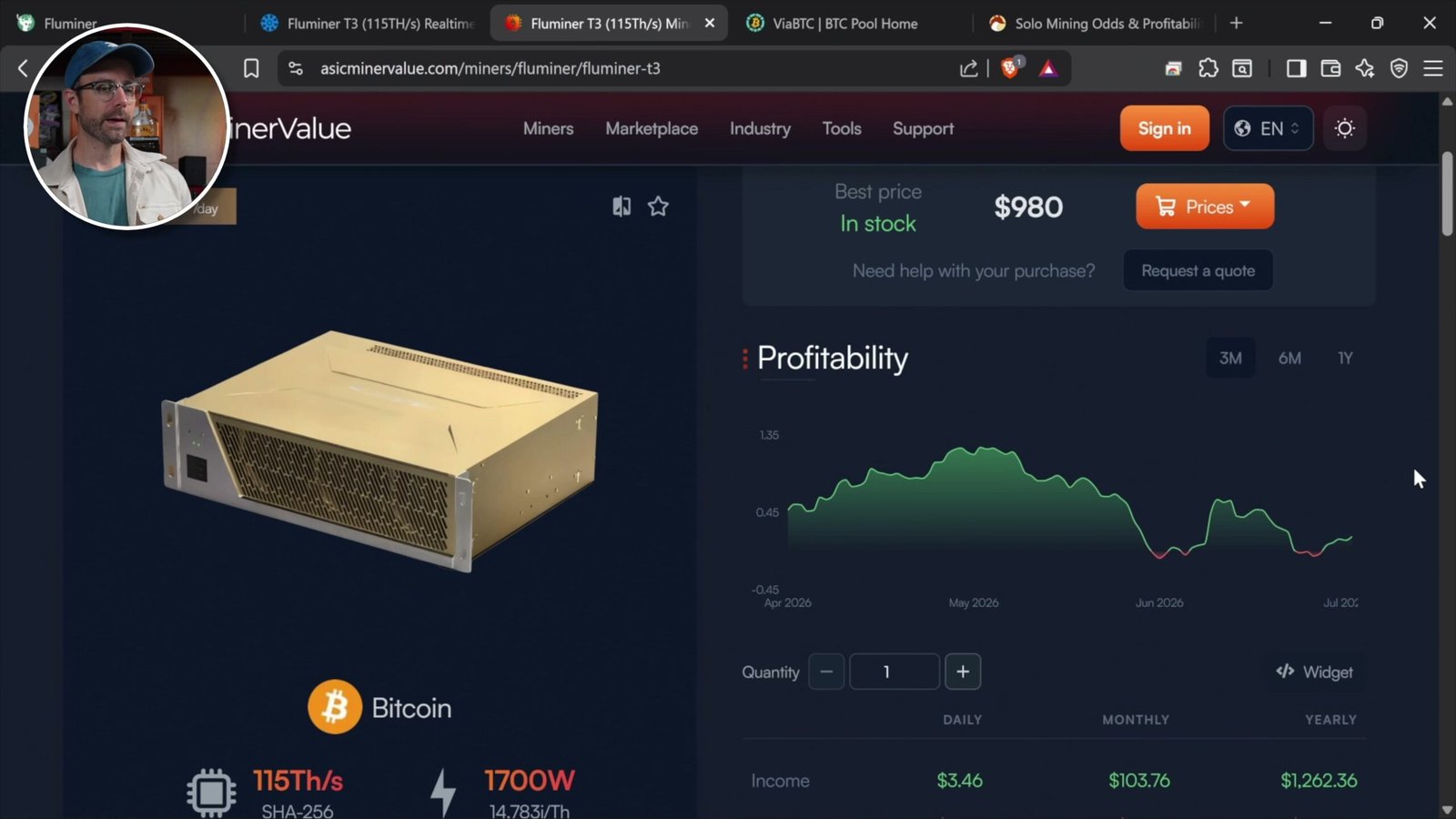
That puts it in the same category as Bitmain’s Antminer S21 XP, which is only two generations old. For context, the ninth generation represents current Antminer gear like the S23, and the tenth generation is made up of just two water-cooled units with excellent efficiency.
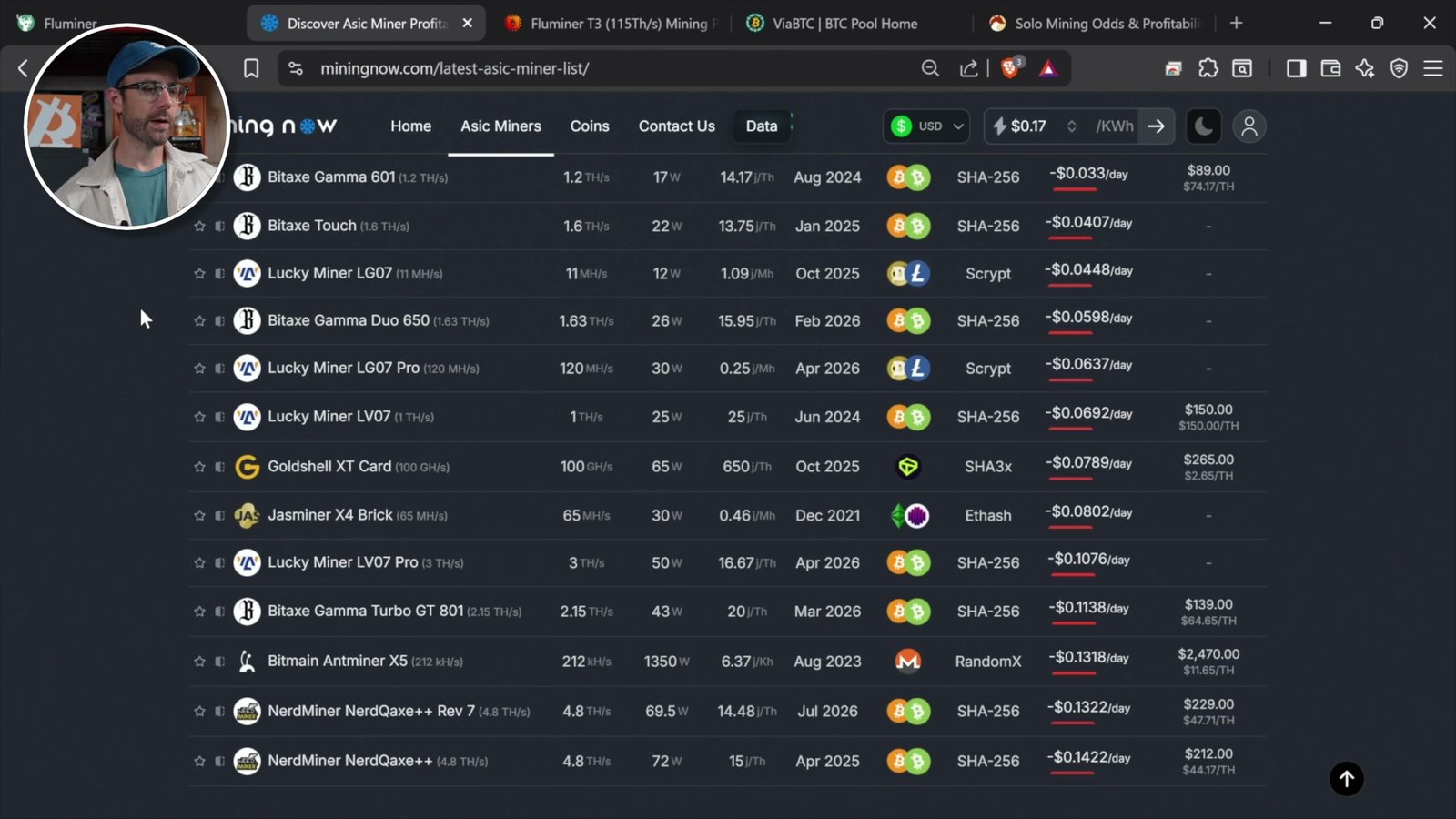
Over on miningnow.com, I ranked Bitcoin miners by efficiency. The T3’s default spec is around 115 terahashes at 1,700 watts, though each unit varies slightly based on ASIC chip quality. At roughly 14.78 joules per terahash, it rivals the Proto ASIC from Blocks and sits right alongside the NerdMiner and Bitaxe machines that probably share the same chips. The only things that beat it are the S21 XP machines, but those are large industrial rigs that pull way more power to get there. For a device meant for home use, the T3 is in a very good spot.
Real Profitability and Solo Mining Odds
This is the part everyone wants to know. On my own website I have a calculator for solo Bitcoin mining that also covers revenue and other coins, so I plugged the Fluminer T3 in.
The odds of solo mining a Bitcoin block? On average, once every 158 years. That’s crazy. It’ll never happen in my lifetime. Over the next 30 years, it works out to about a 17% chance of hitting a block.
On the revenue side, we’re talking about roughly $3.44 worth of Bitcoin per day. But here’s the reality check: at the average US electricity rate of about 17 cents per kWh, running this device costs around $7 per day. That leaves you at a deficit of about $3.49 every single day if you rely entirely on the grid.
What About Other Coins?
The T3 mines the SHA-256 algorithm, so I looked at some alternatives:
- Bitcoin Cash: a block roughly every 222 days, with similar revenue to Bitcoin
- DigiByte: one or two blocks per day, but very small revenue
- Quai: the newest SHA-256 player, no solo mining (it’s based on workshares), and interestingly the best revenue at about $5 per day
Even Quai, the best option here, still leaves you at a net loss if you’re paying average US electricity rates and are fully grid-dependent. So keep that in mind before you buy.
Opening It Up: Inside the Fluminer T3
After removing a few screws, the side panel came off very easily, which is good, because maintenance on the T3 will be necessary and ongoing. The first thing I noticed compared to the L1 is that there’s no dust filter here. Dust and debris will inevitably find their way in, reach the fans, and clog the coolers, raising temperatures until you open it up and vacuum it out.
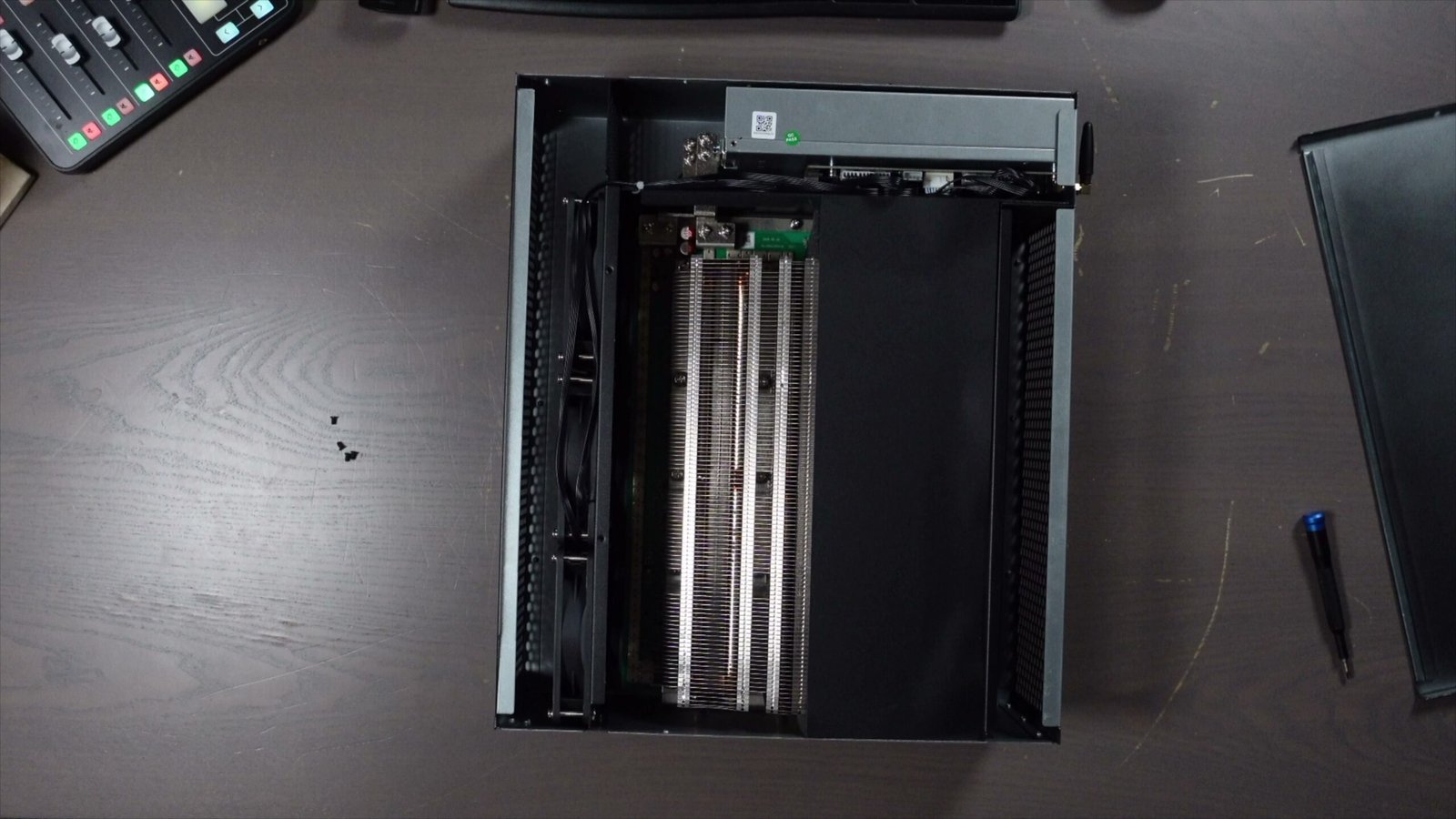
Inside, the power supply sits at the top, with the control board connecting the fans and other components below it. The main show is under the coolers: the ASIC chips. I believe they’re the same chips found in the S21 XPs, though I’d want to fully disassemble it to be sure, and since it’s brand new, I’m saving that for the future. Between the coolers and the chips is thermal paste doing all the heavy lifting to manage the heat.
In the summer, like it is now, that heat isn’t ideal, so this device will probably live in my garage. In winter, though, that heat is wonderful. I’ve used Jasminers and Fluminers before to heat my home while mining crypto at the same time.
Who Is the Fluminer T3 For?
It’s a fascinating time in Bitcoin and crypto. The market is low and Bitcoin is about 50% off its all-time high, but this always happens, and you have to think long term. That means it could be a great time to grab cheap mining equipment and own it when Bitcoin someday reaches $250,000.
The flip side: low prices can push manufacturers to release new generations, which could make this device outdated even though you bought it at a great time. It’s all a gamble, so there’s really no “perfect time.”
Personally, I’m actively buying Bitcoin, that’s an obvious decision for me. And I keep buying mining hardware too. This particular device is a harder sell if you’re entirely grid-dependent and paying average residential electricity rates. But I have solar power at my house, and what I really want to explore is using excess solar generation (especially in summer) to mine Bitcoin for free with this device. If you’ve ever automated something like that, email me and let me know how you did it: contact@redfoxcrypto.com
Where to Buy the Fluminer T3
If you want to add a Fluminer T3 to your own home mining setup, prices and availability shift often with the market, so check current availability before you buy. And remember to factor in your local electricity rate or a solar setup before pulling the trigger.
Watch the Full Video Guide
I go through every mode, the noise tests, and the teardown in detail in the full video, so give it a watch to see the T3 in action. If you find it helpful, subscribe to the channel. I put out home mining content like this every week.
Frequently Asked Questions
How loud is the Fluminer T3?
In efficient mode it hits up to 71 decibels, which is the loudest setting. In normal mode it’s roughly like a gaming PC with the fans running hard. If noise is a concern, power-saving mode is the quietest option, though you sacrifice hash rate for it.
Which mining mode is the most efficient?
Efficient mode is the most efficient: it delivers the highest hash rate with the least power. That’s unusual for home mining gear, where you’d normally expect the lowest-power mode to be the most efficient. Power-saving mode saves the most on your electricity bill but drops you to around 83 TH/s.
Can you actually make money with the Fluminer T3?
If you’re entirely dependent on the grid at the average US rate of about 17 cents per kWh, no. Running it costs around $7 a day while earning about $3.44 in Bitcoin, leaving a daily deficit. It becomes far more attractive if you have cheap power or excess solar generation.
What ASIC generation is the Fluminer T3?
According to asicminervalue.com, the T3 is a seventh-generation device, putting it in the same category as Bitmain’s Antminer S21 XP. It’s not the newest, but for a home-focused miner it ranks very well on efficiency.
What are the odds of solo mining a Bitcoin block with it?
Based on my solo mining calculator, the T3 averages one block roughly every 158 years, so it won’t happen in your lifetime. Over 30 years it gives about a 17% chance. Solo mining Bitcoin is a long-shot lottery ticket, not a reliable income strategy.